Sept
v4.3 - SaaS
17 Sep, 2026
Upstream Kubernetes for Bare Metal and VMs
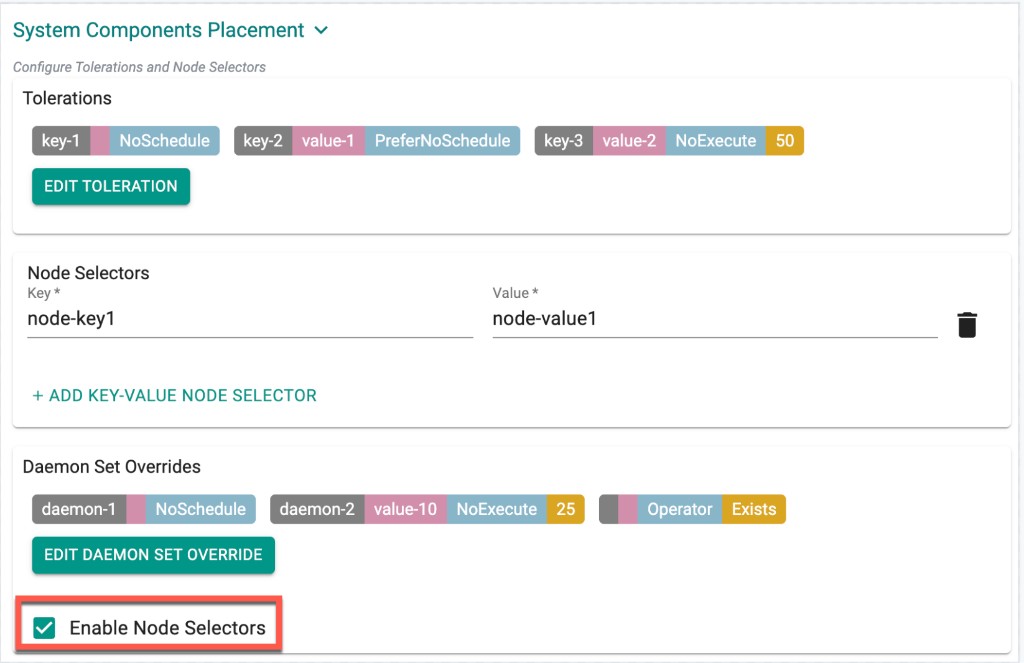
System Component Placement for System Pods
System component placement configuration can now be applied to system pods, such as CoreDNS and other Rafay-managed pods that are brought up as part of the MKS cluster lifecycle during provisioning. Previously, placement configuration applied only to a subset of components.
Benefit
Gives users full control over pod scheduling by allowing all system pods to be placed on specific nodes using matching taints and tolerations, improving isolation and resource planning.
Ubuntu 26.04 LTS Support
Added support for Ubuntu 26.04 LTS for upstream managed Kubernetes clusters. This operating system can be used for new cluster provisioning.
Benefit
Enables customers to build clusters on the latest Ubuntu LTS release, benefiting from newer kernels, security updates, and a longer support lifecycle.
Amazon EKS
Configurable ASG Suspend Processes for Managed Node Groups
Users can now configure asgSuspendProcesses for managed EKS node groups. Every EKS node group is backed by an EC2 Auto Scaling Group (ASG) that continuously runs background processes—launching and terminating instances, rebalancing across Availability Zones, replacing unhealthy nodes, and more. With this enhancement, users can suspend one or more of these processes on the backing ASG, for example to pause instance replacement during diagnostics or to stop AZRebalance from causing unexpected node churn.
managedNodeGroups:
  - name: ng-demo
    amiFamily: AmazonLinux2023
    instanceTypes: [t3.large]
    desiredCapacity: 2
    minSize: 1
    maxSize: 3
    volumeSize: 80
    volumeType: gp3
    asgSuspendProcesses:
      - AZRebalance
      - InstanceRefresh
Benefit
Gives users finer control over Auto Scaling Group behavior, reducing unexpected node churn and enabling safer diagnostics and maintenance windows.
Note
This capability is supported via RCTL, Terraform, and GitOps. UI users can configure it through the Save and Customize config path.
Day 2 Operations: Combined Service Account Add and Delete
Service accounts can now be added and deleted as part of a single operation. Previously, these changes had to be performed one at a time.
Benefit
Streamlines Day 2 operations and reduces the number of steps required to manage service accounts on a cluster.
Google GKE
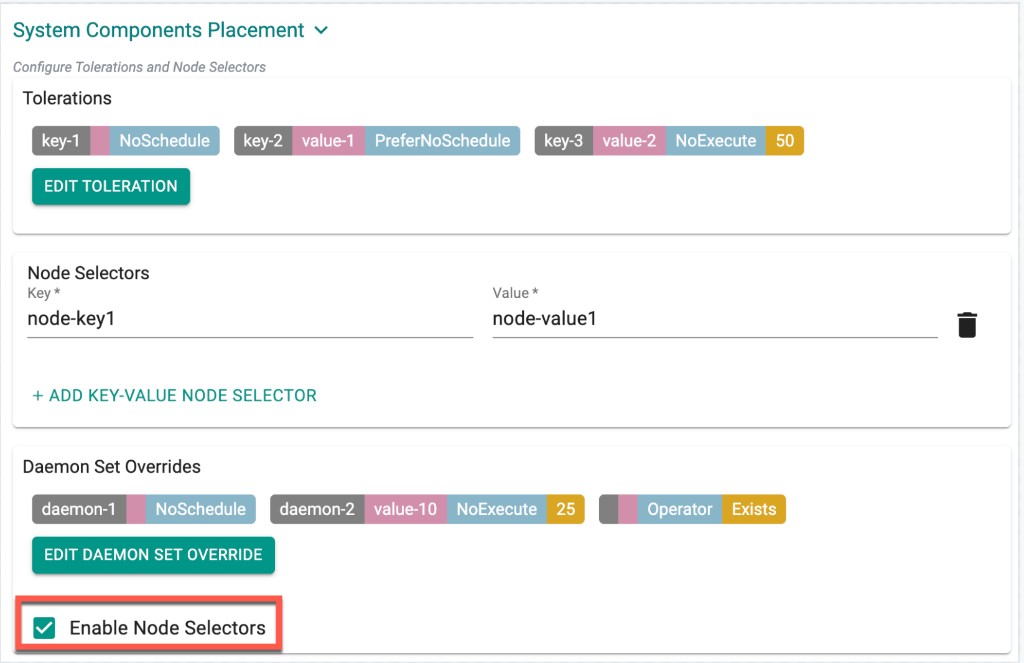
System Component Placement Support
Added system component placement support for GKE, allowing blueprint pods to be scheduled on nodes with matching taints using tolerations.
Benefit
Provides greater control over where blueprint pods run, enabling workload isolation and predictable placement across the cluster.
Blueprints and Add-ons
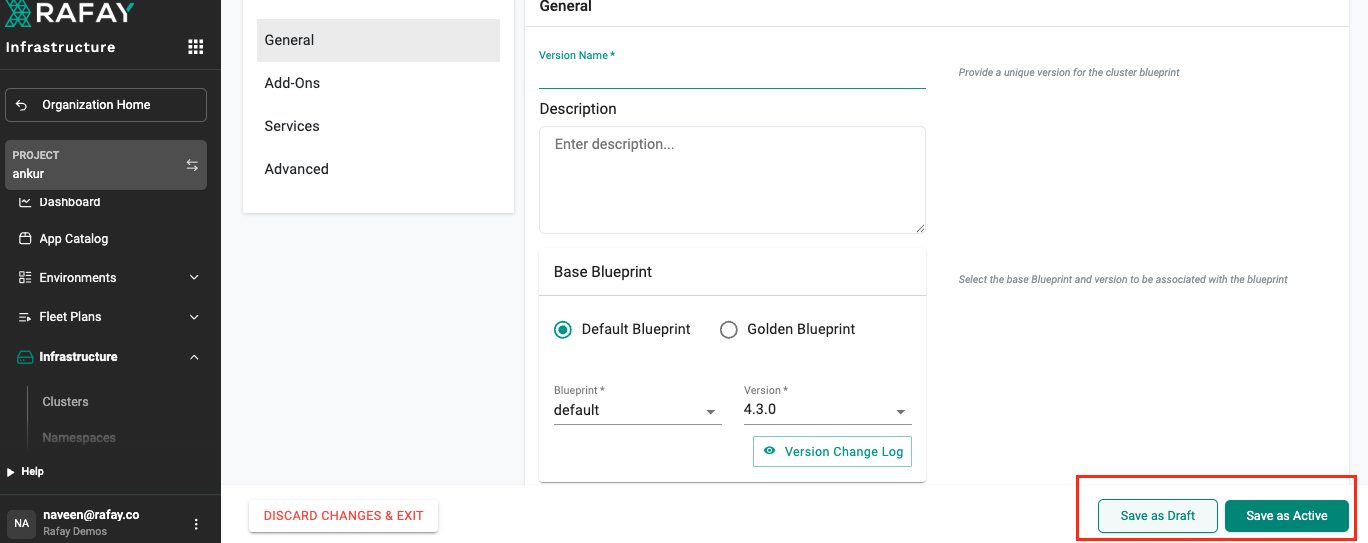
UI support for Draft and Active Versions
A previous release introduced draft support for blueprint and add-on resources through non-UI interfaces. This release extends draft support to the UI, allowing users to create and manage draft and active versions directly from the console.
Benefit
Allows users to safely iterate on blueprint and add-on configurations through the UI before making them available for use.
Selective Add-on Force Sync
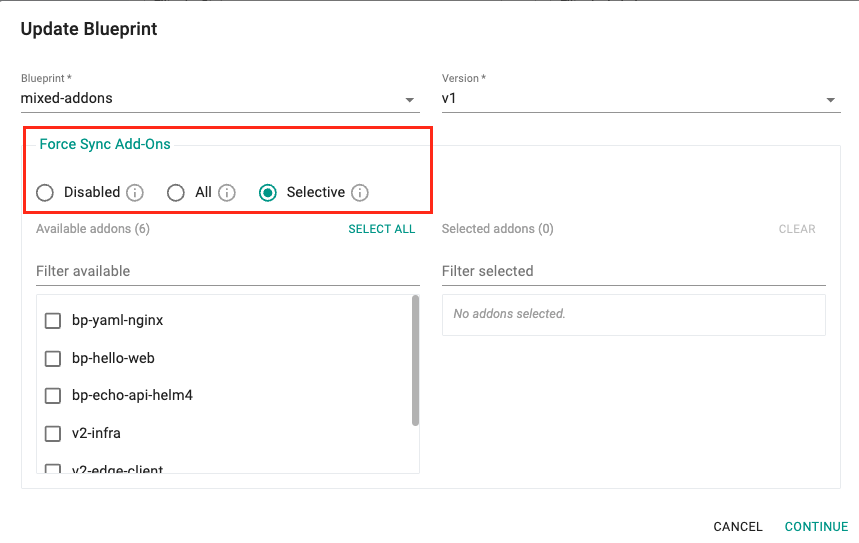
As part of the "update blueprint on the cluster" flow, users now have granular control over which add-ons are force synced. Previously, triggering a blueprint on the cluster would redeploy every add-on in the blueprint. With this enhancement, users can choose to force sync all add-ons or select only specific add-ons to force sync.
Three options are now available:
- Disabled: No add-ons are force synced as part of this update. The blueprint update proceeds normally without forcing a redeploy of any add-on.
- All: Triggers the blueprint sync forcefully on the cluster, even if a previous sync is in progress, and redeploys every add-on in the selected blueprint—irrespective of whether the add-on has changed or is already deployed—overriding existing changes.
- Selective: Lets users choose specific add-ons to force sync instead of redeploying the entire blueprint. This is useful when only a subset of add-ons (for example, ones in a failed state, or new additions) need to be resynced. Available add-ons can be picked from a list into a Selected Add-ons list, with support for filtering and Select All / Clear.
Benefit
Gives users more control and faster updates by avoiding a full redeploy of every add-on, which is especially valuable for blueprints with a large number of add-ons.
For more information on force sync options, refer here.
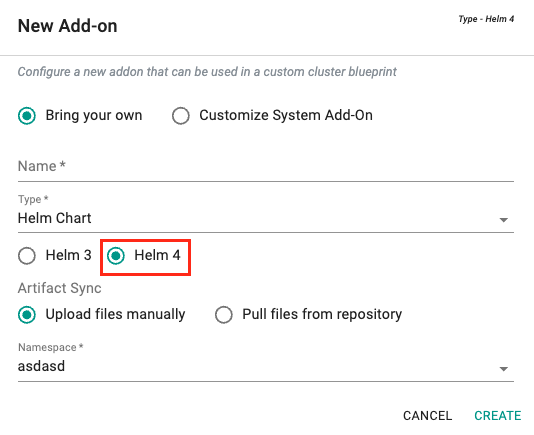
Helm 4 Support for Add-ons and Workloads
Users can now select Helm 4 as the Helm engine to deploy their add-ons and workloads.
Benefit
Lets users adopt the latest Helm capabilities while keeping their existing workflows unchanged.
Note
- The Helm 3 flow and its options remain unchanged, and no migration is required.
- Helm 4 carries forward nearly every Helm 3 option and adds new capabilities on top.
- Helm 3 and Helm 4 will continue to coexist. Helm 3 is expected to be deprecated in favor of Helm 4 at some point in the future.
For more information, see Add-ons and Workloads.
Repositories
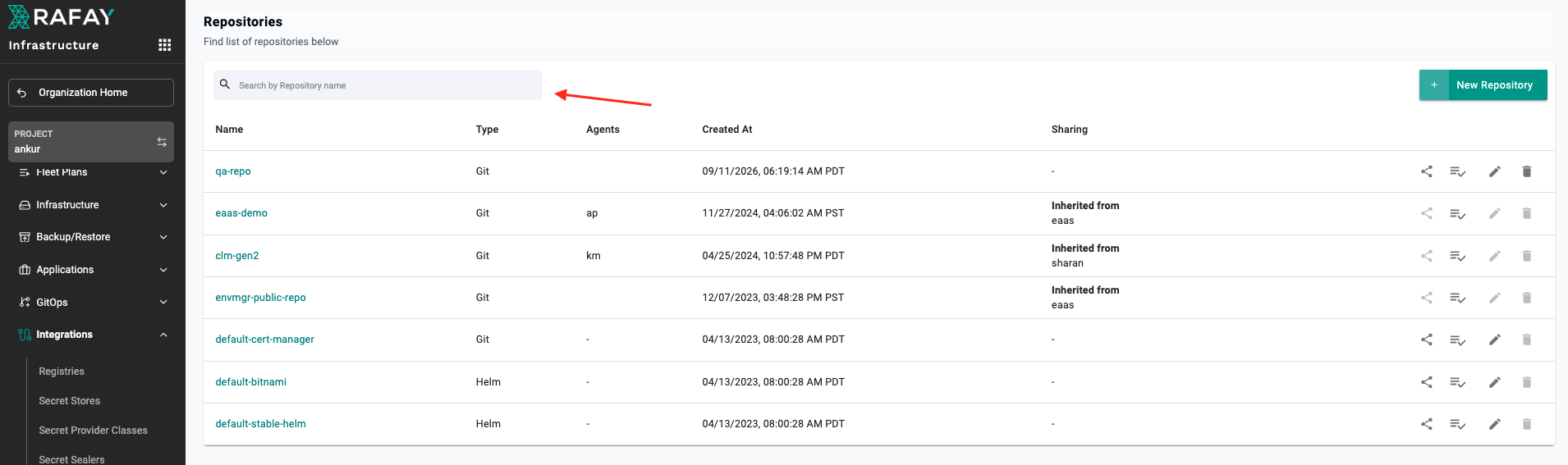
Repository Search
Added search functionality to the Repository page.
Benefit
Improves the user experience when an organization has a large number of repositories, making it faster to find the required repository.
MCP Server
Phase 2: Write Operations Support
The first phase of the Rafay MCP Server provided read-only access to the supported resources. With this second phase, the MCP Server now supports create, update, and delete operations on workloads, add-ons, and blueprints, and also allows publishing a blueprint on a cluster.
Benefit
Extends AI-assisted workflows beyond discovery and troubleshooting to lifecycle management, letting authorized users create, update, and publish resources through their AI clients while staying within Rafay's governance controls.
Note
By default, the MCP Server operates in read-only mode. To enable write access for the resources above, an Organization Admin must enable Allow write access under System > Settings > MCP Server in the console.
Only an Organization Admin can enable or disable write access. When disabled, only read-only operations are available, and any write operation returns an error.
Download the latest MCP Server binary from My Tools in the console to use these new tools.
For more details, see the Rafay MCP Server documentation and read our blog: Rafay MCP Server Phase 2: From Visibility to Lifecycle Management.
v1.1.67 - Terraform Provider
17 Sept, 2026
The following enhancements are included in this release:
| Resource | Enhancement |
|---|---|
rafay_import_cluster |
Added system component placement configuration so system components can be scheduled on nodes that match specified taints and tolerations. |
rafay_blueprint_sync |
Added selective add-on sync support so you can choose which add-ons are force synced. |
rafay_addon, rafay_workload |
Added support for deploying Helm 4 based add-ons and workloads. |
rafay_eks_cluster |
Added asg_suspend_processes configuration to suspend Auto Scaling processes during stack updates or node group operations, preventing ASG interference. |